How to Design Your Memorial Online
We have an extensive range of funeral products each with a design online option. Below are a few videos that will help show you how easy it all works.
Don’t feel comfortable with technology, Don’t Worry – We have a team of memorial specialists here to help. Contact us via email, phone or social media letting us know which product you would like, along with any cemetery information and we will be happy to help or design the memorial for you, at no extra cost.
The first step is to explore our memorial range from the product selection on the home page or by browsing the Memorial Product page. On finding a product you like, click the ‘design’ button based underneath every memorial example. This will take you to our developed Design Online System (DYO – Design Your Own). The design system is developed to work on all devices, desktop, mobile or tablets. Please note with constant software updates we are always testing our design system to ensure best functionality and user friendly interaction.
Our design online system is easy to use with all your tools on the left hand side, and your product chosen to design on the right. It allows you to choose the size, shape and add motifs or images. Each product had different characteristics for example with laser etching memorials this is only black and white, where as traditional engraved memorials you have the chose of granite, marble or sandstone plus inscription colour. Each tool option is colour coordinated to offer a sense of guidance, knowing which section of their design they are editing.
Still unsure about designing online?
Our team at the Perth head office are here to help, real people that can walk you through the ordering online process or take the pressure off and design a memorial for you with a free quote.
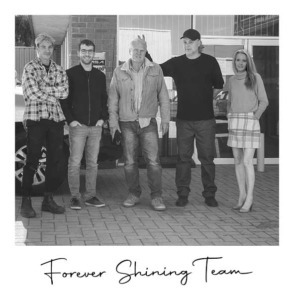
Please meet the Forever Shining Team, we are always here to help with expert advise on monuments, creating a design, monuments, materials and durability.
Please contact us with any queries or product details for us to create a design for you.